
Oil record
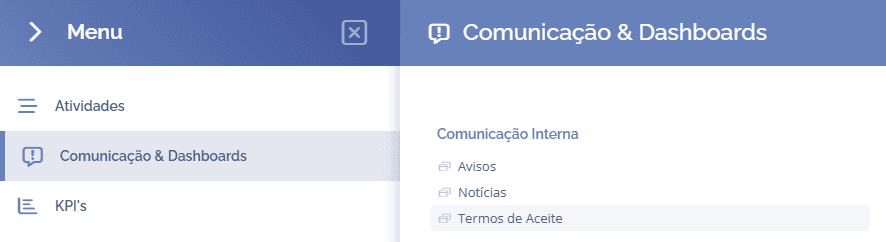
To view the acceptance record, open the main menu, select the Communication & Dashboards module, Internal communication, and click the Terms of acceptance option:
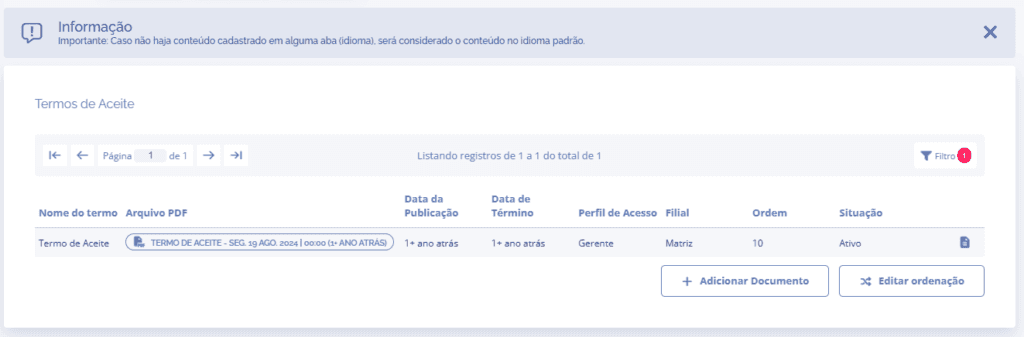
In this block, choose the term of acceptance for which you want to view the acceptance record and click the documents icon
The acceptance record opens in a new window:
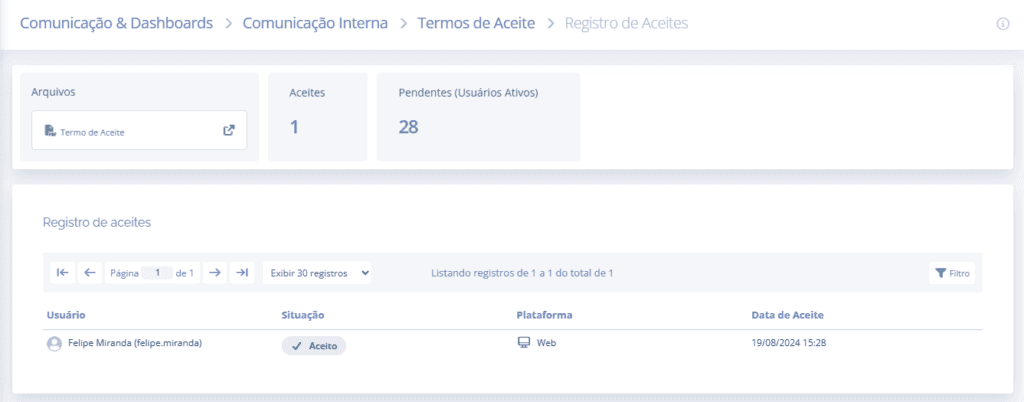
In the first block, you can view the document attached to this term of acceptance; Acceptances shows the number of users who accepted the term, and Pending (Active users) shows the number of users who have not yet accepted the term.

In the second block, you can view the record of users who accepted the term, as well as the date and time when they accepted it.
