
Edit web dashboard
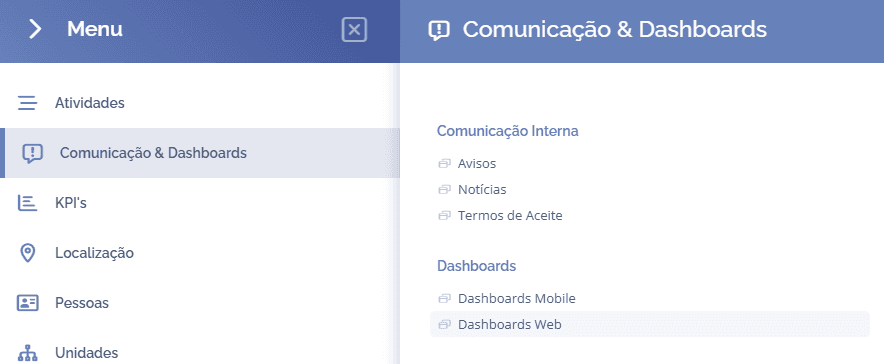
To edit a dashboard, open the main menu, select the Communication & Dashboards module, Dashboards, and click the Web dashboards option:
In this block, click the edit icon

A block will open below for dashboard editing:
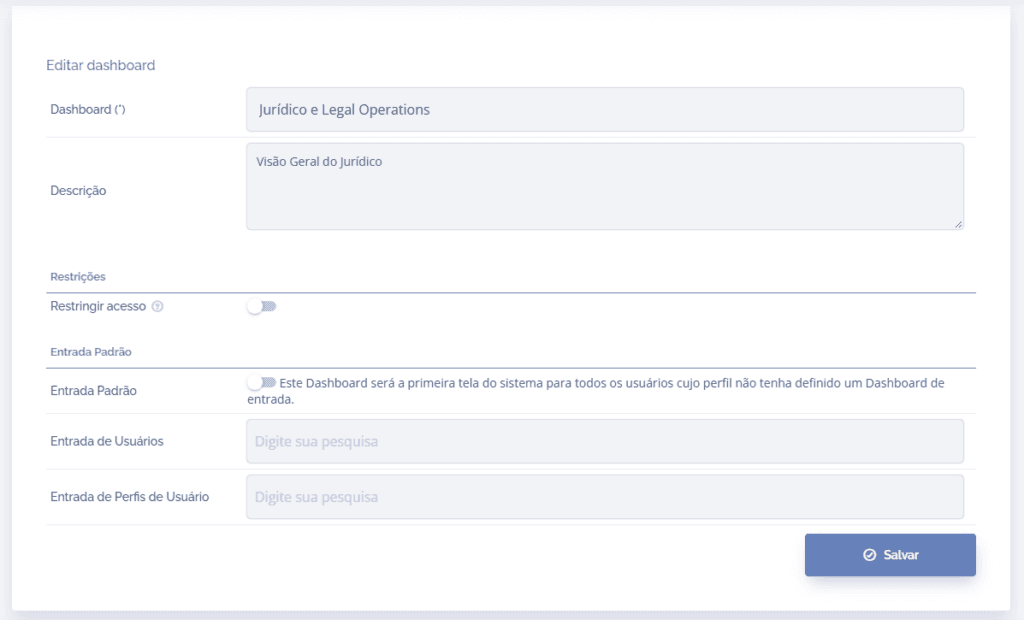
Note that, unlike dashboard creation, in editing we can define a default input for specific users in the User input field, or define it for specific profiles in the User profile input field.
After editing, click the Save button to register the information.