
Create/Add mobile dashboard
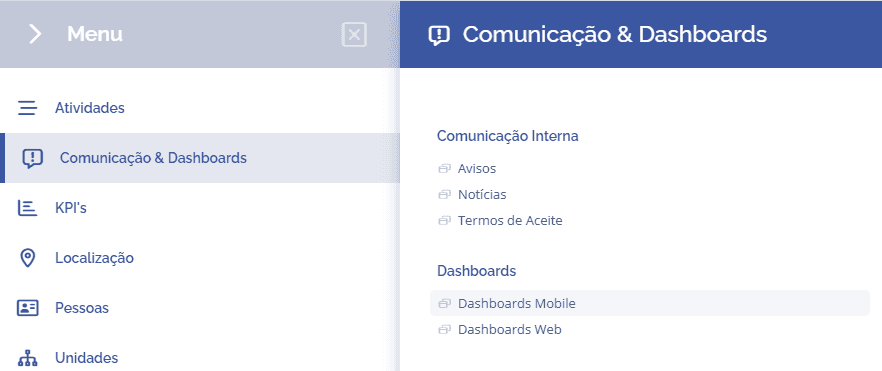
To create a mobile dashboard, open the main menu, select the Communication & Dashboards module, Dashboards, and click the Mobile dashboard option:
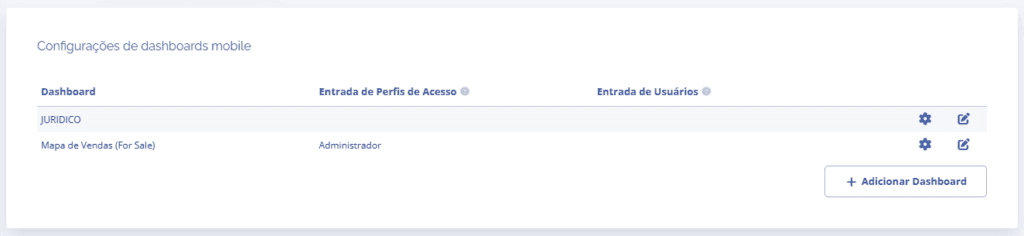
In the Mobile dashboard settings block, click the Add dashboard button:
The Add dashboard block will open:
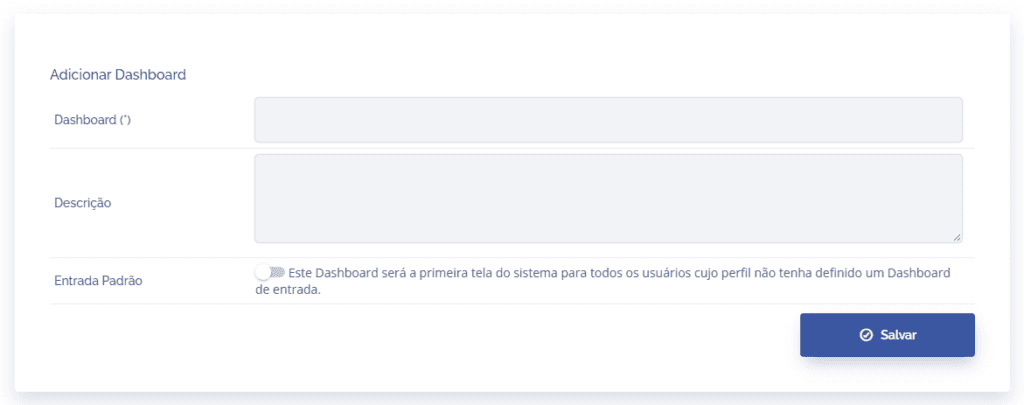
Dashboard: In this field, a name/title is defined for the dashboard.
Description: In this field, it is possible to add a description for the dashboard.
Default entry: In this field, it is possible to define whether this dashboard will be the first system screen for all users whose profile does not have an entry dashboard defined.
After filling in the fields, click the Save button to register it in the system.