Track requests
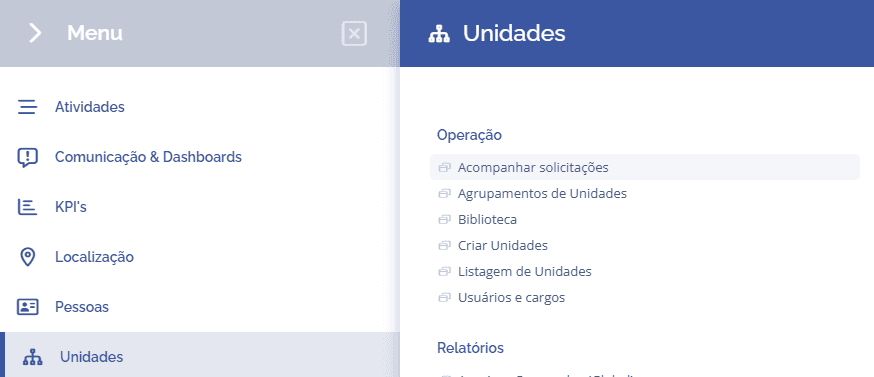
To track unit export requests, open the main menu, select the Units module, Operation, and click the Track requests option.
To create a request, read the article Export list.
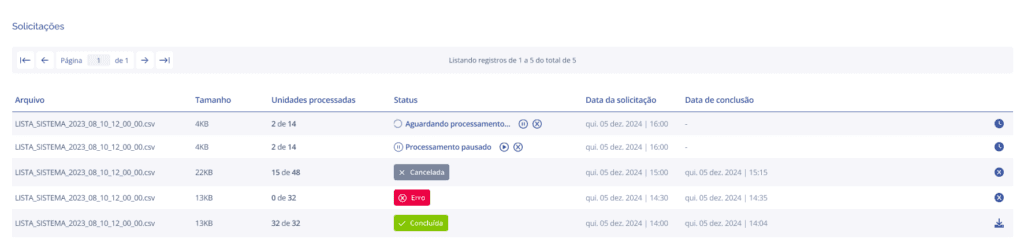
When accessing the requests, a list will be displayed showing request information such as file size, number of units processed, request and completion date, and status, with the option to pause or cancel a request if necessary.
Request status
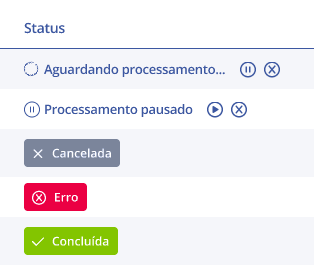
After making the export request, the following statuses are available:
Waiting for processing: In this status, the request is being processed, and it is possible to pause or cancel the progress by clicking the respective icons.
Processing paused: In this status, the request has been paused, and it is possible to continue or cancel the progress by clicking the respective icons.
Canceled: In this status, the user clicked cancel on the request.
Error: In this status, an error was found and the request cannot be completed.
Completed: In this status, the system completed the request successfully, and the file can be downloaded by clicking the download icon.